
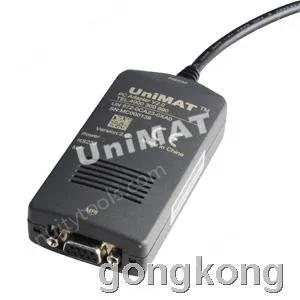
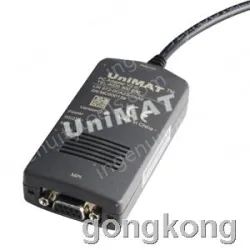
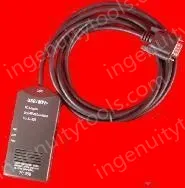






Siemens S7-300 PLC Programming cable,5 meters.
Not isolated,so it doesn't support hot plug,if need isolated cable,pls choose PC/MPI+,you can click the following website for PC/MPI+:
/6ES7972-0CA23-0XA0-S7-300-S7-400-adapter?filter_name=PC/MPI
PC / MPI adapter is also known as PC adapter. It’s physical interface is the conversion from RS232 interfaces to the RS485,including the conversion from RS232 to MPI protocol (MultiPoint Interface).And it is used for the connecting between the PC COM (RS232) and MPI (RS485) of Siemens S7-300PLC.This product is non-isolate, choose PC / MPI + if you need an electro-optical isolation.

Main technical parameters:
★ RS232 Port baud rate:19.2Kbps
★ MPI Port baud rate:187.5Kbps
★ With the data received and sent indicator light
★ Temperature:0~75℃
★ Total length of cable:5m
STEP7 Software settings:
1、 Go into STEP7 the main software programming interface(SIMATIC Manager),click “Set PG/PC Interface…” which is under the “Options” menu, and the get to the PG/PC setting interface。
2、 Double-click on “PC Adapter(Auto)”or“PC Adapter(MPI)”to go into the interface setting of parameters of RS232 and the MPI. The adapter does not support "PC Adapter (PROFIBUS)" option.
3、 Click on the "Local Connection" option to set the interface parameters of RS232, to choose the right computers COM mouth (RS232), change the RS232 communication baud rate to 19200 bps.
4、 Click the "MPI" option (if it's on "PC Adapter (MPI)" method) to set MPI interface parameters for the adapter, as the MPI interface of the adapter gets the baud rate fixed at 187.5 Kbps, so here can only be set to 187.5 Kbps.
If it is "PC Adapter (Auto)" method the choice should be "Address: 0" and "Timeout: 30s".
After the settings above the adapter can be set up on-line communication with the PLC, now you should pay attention to that you shouldn’t change the factory default of the MPI port baud rate 187.5Kpbs on the CPU which is under the “Network Settings”.
Since the baud rate of the MPI port of the adapter is fixed at 187.5Kbps, if it is set at other figures, the adapter will not work with PLC! Make sure that the baud rate of the MPI port on your S7-300PLC’s CPU is fixed at 187.5Kpbs.Otherwise,you have to use the Siemens's programming communication facility to set that baud rate to 187.5Kpbs,in order to make the adapter work correctly.
The quality is guaranteed.It's tested before shippment.Not made by Siemens,OEM product as the replacement.